TikTok Video Downloader vs Screen Recording: Which Is Better?
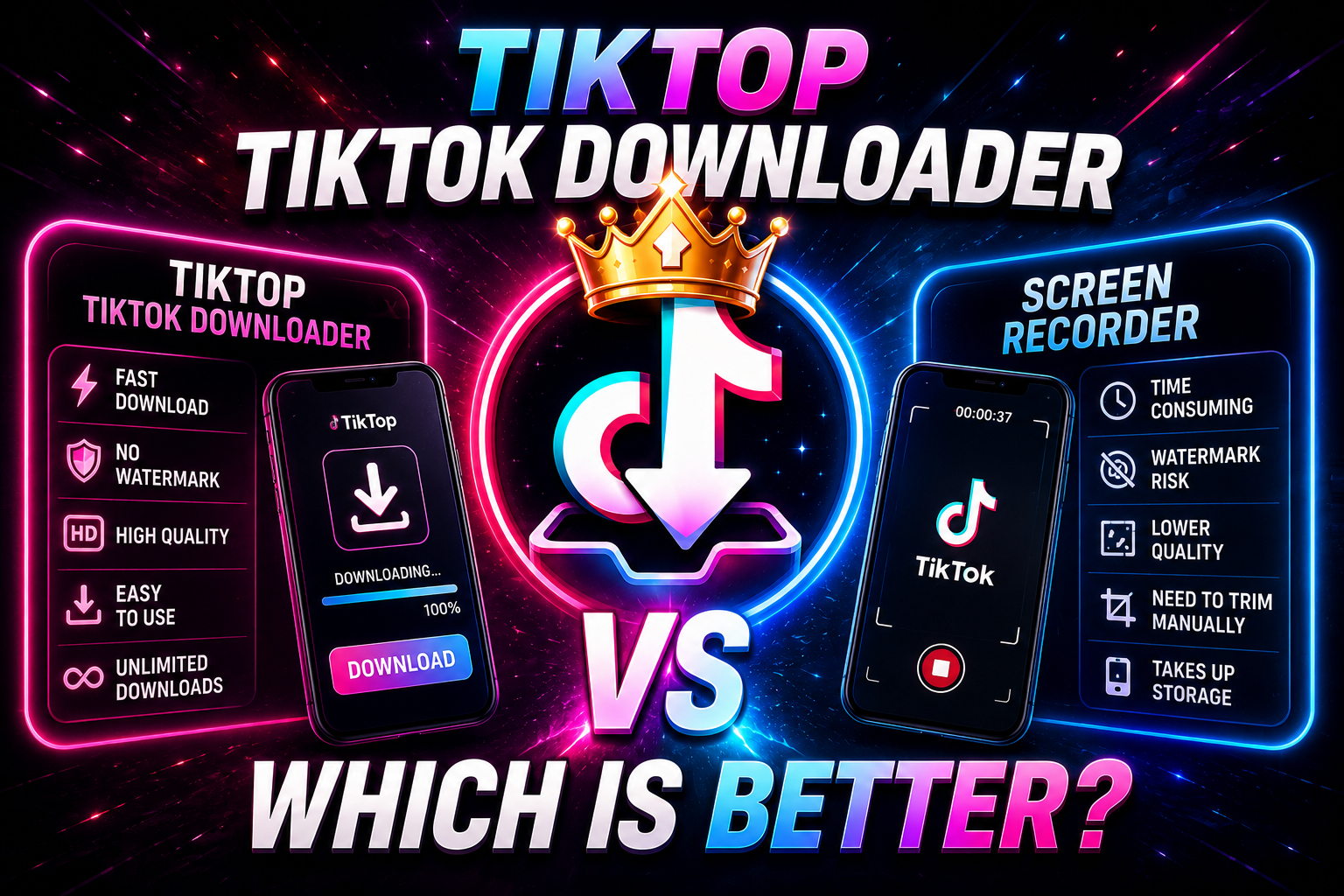
Table of Contents
Introduction to Saving TikToks
In the fast-paced world of short-form video content, coming across a hilarious clip, an invaluable life hack, or a mesmerizing dance routine is a daily occurrence on TikTok. Naturally, you might want to save these videos to your personal device to share with friends outside the app, reference later without an internet connection, or simply keep in your archives in case the original creator takes the video down.
When it comes to actually saving these videos, users generally find themselves torn between two main methods: using the built-in screen recording feature on their smartphone, or utilizing a dedicated third-party web tool like a TikTok Video Downloader. Both methods will ultimately get the video onto your phone's camera roll, but the resulting quality, file size, and viewing experience differ dramatically. In this comprehensive guide, we will break down everything you need to know about TikTok video downloaders versus screen recording, helping you decide which method truly reigns supreme.
The Screen Recording Method Explained
Screen recording is a native feature built into almost all modern smartphones, tablets, and computers. On iOS devices (iPhones and iPads), you simply swipe down from the top right corner to access the Control Center and tap the record button. On Android devices, a similar function exists in the Quick Settings panel. When activated, the device captures absolutely everything happening on your screen in real time, frame by frame, while simultaneously recording the system audio.
For many users, this is the default method for saving content simply because it requires no external websites or applications. You open TikTok, press record, watch the video through to the end, and then stop the recording. Afterwards, you typically have to go into your camera roll and crop the video to remove the parts where you were starting and stopping the capture.
The Video Downloader Method Explained
A TikTok Video Downloader, such as TikTop, operates entirely differently from screen recording. Instead of capturing your screen visually, a downloader interfaces directly with the media link provided by the TikTok platform. When you copy the URL of a public TikTok video and paste it into a downloader, the tool locates the raw, underlying video file stored on TikTok's servers.
It then extracts this original file and downloads it directly to your device's internal storage. This bypasses the app interface entirely. The entire process takes just a few seconds and happens entirely in the background, eliminating the need to watch the video in real time while it saves. More importantly, advanced downloaders have the capability to strip away the TikTok watermark before delivering the file to you.
Head-to-Head Comparison
To determine which method is genuinely better, we need to compare them across five critical categories that directly impact your viewing and sharing experience.
1. Video Quality and Framerate
Screen Recording: When you record your screen, your phone is working hard to render the app, play the video, and encode a new video file all at the same time. This often leads to a drop in framerate (stuttering) or a reduction in overall visual fidelity. The recording is limited by the resolution of your device's screen, and further compressed by your phone's internal recording software. If your internet connection stutters and the TikTok video drops in quality for a second, your screen recording captures that blurry moment permanently.
Downloader: A downloader fetches the actual source file uploaded by the creator. If the creator uploaded a crisp 1080p, 60-frames-per-second video, the downloader will retrieve exactly that file. There is no secondary compression applied by your phone's screen recording software. The result is a stunningly clear, original-quality video every single time.
Winner: Downloader.
2. Watermarks and On-Screen UI
Screen Recording: The biggest drawback to screen recording is that it captures everything. This includes the creator's username, the caption, the music track scrolling at the bottom, the like and comment buttons on the right side, and any pesky push notifications or text messages you might receive while recording. You are essentially recording a video of an app interface, not just the video itself.
Downloader: High-quality downloaders strip away the entire TikTok User Interface (UI). Furthermore, they bypass the system that stamps the bouncing TikTok logo and username onto the video. You are left with a pristine, clean, edge-to-edge video that looks exactly like it did on the creator's camera before they uploaded it to the app.
Winner: Downloader.
3. Storage Space and File Size
Screen Recording: Native screen recordings are notoriously unoptimized. A 30-second screen recording on a modern iPhone can easily exceed 50 to 80 Megabytes, depending on your settings. Over time, saving multiple videos this way will aggressively eat into your device's precious storage space.
Downloader: Because downloaders retrieve the heavily optimized, web-ready MP4 file from TikTok's servers, the file sizes are incredibly efficient. That same 30-second video might only be 5 to 10 Megabytes when downloaded directly, saving you massive amounts of storage space in the long run.
Winner: Downloader.
4. Audio Quality and Sync Issues
Screen Recording: Occasionally, the internal audio capture of a screen recording can fall slightly out of sync with the visuals, especially on older devices that struggle with processing power. Additionally, if your phone is on silent, or if you accidentally touch the volume buttons while recording, it can ruin the audio track.
Downloader: The audio is perfectly embedded into the original MP4 file. You never have to worry about desynchronization, accidental volume changes, or muffled sound quality. You get exactly what the creator published.
Winner: Downloader.
5. Time and Convenience
Screen Recording: If a video is three minutes long, you have to sit there and watch it for exactly three minutes while recording. Then, you have to spend an additional 30 seconds going into your gallery, editing the video, trimming the beginning and end, and saving it as a new clip. It is a highly manual, tedious process.
Downloader: You simply copy the link, paste it into the downloader, and hit a button. Regardless of whether the video is 15 seconds or 10 minutes long, the download completes in mere seconds based on your internet speed. There is no trimming or editing required afterward.
Winner: Downloader.
Stop Screen Recording and Start Downloading
Experience original quality, no watermarks, and fast downloads with TikTop's free web tool.
Try TikTop Downloader NowPros & Cons Summary
To make the comparison as clear as possible, let's break down the advantages and disadvantages of each method.
Screen Recording
- Pros: Built directly into your phone; requires no internet connection to process (only to play the video); can capture private videos if you already have access to view them.
- Cons: Captures all UI elements; includes the TikTok watermark; results in massive file sizes; requires manual editing to trim the ends; takes as long as the video duration to record; risks capturing private notifications on screen.
TikTok Downloader (TikTop)
- Pros: Delivers true original video quality; removes all watermarks and UI elements; highly optimized, small file sizes; blazing fast downloads; zero editing required after the fact; preserves perfect audio sync.
- Cons: Cannot download private videos (only works with publicly accessible links); requires navigating to a web browser tool.
Frequently Asked Questions
Is using a TikTok Downloader illegal?
No, using a downloader is not illegal for personal use. It is perfectly fine to download public videos for offline viewing, creating personal playlists, or sending to friends. However, you must respect copyright laws. You cannot download a creator's video and re-upload it as your own or use it for commercial gain without their explicit permission.
Does screen recording alert the TikTok creator?
As of right now, TikTok does not send notifications to creators if someone screen records their video. Similarly, they do not get notified if you use a third-party downloader to save their content via a link.
Why do my screen recordings look blurry?
Screen recordings capture exactly what your screen is displaying at that moment. If your internet connection was slightly slow, TikTok will lower the video resolution to prevent buffering. Your screen recorder captures this lowered resolution permanently. A downloader avoids this by fetching the full-quality source file.
Can a downloader save videos faster than screen recording?
Absolutely. A 3-minute video takes exactly 3 minutes to screen record. A downloader simply transfers the file data, meaning that same 3-minute video could download in as little as 3 to 5 seconds depending on your Wi-Fi or cellular data speed.
Will I get viruses from TikTok downloaders?
Reputable downloaders like TikTop are entirely web-based and secure. You do not need to install any sketchy software, provide your TikTok login credentials, or grant device permissions. Always use trusted web tools and avoid clicking on suspicious pop-up ads.
Final Verdict
When you place both methods side-by-side, the victor is overwhelmingly clear. While screen recording is a convenient, built-in feature for quickly capturing fleeting moments on your phone, it is arguably the worst way to archive video content. The intrusive UI elements, the presence of the bouncing watermark, the degraded video quality, and the massive, unoptimized file sizes make it a deeply flawed method for saving TikToks.
Using a dedicated TikTok Video Downloader provides a vastly superior experience across the board. By spending an extra three seconds to copy a link and paste it into a tool like TikTop, you are rewarded with a pristine, watermark-free, original-quality video file that takes up a fraction of the storage space on your device. The audio remains perfectly synced, you don't have to waste time cropping the video, and you never have to worry about an embarrassing text message popping up and ruining your saved clip.
For anyone serious about collecting high-quality videos, creating compilations, or simply enjoying clean content offline, making the switch from screen recording to a dedicated downloader is an absolute no-brainer.
