Best TikTok Video Size, Resolution and Dimensions (2026)
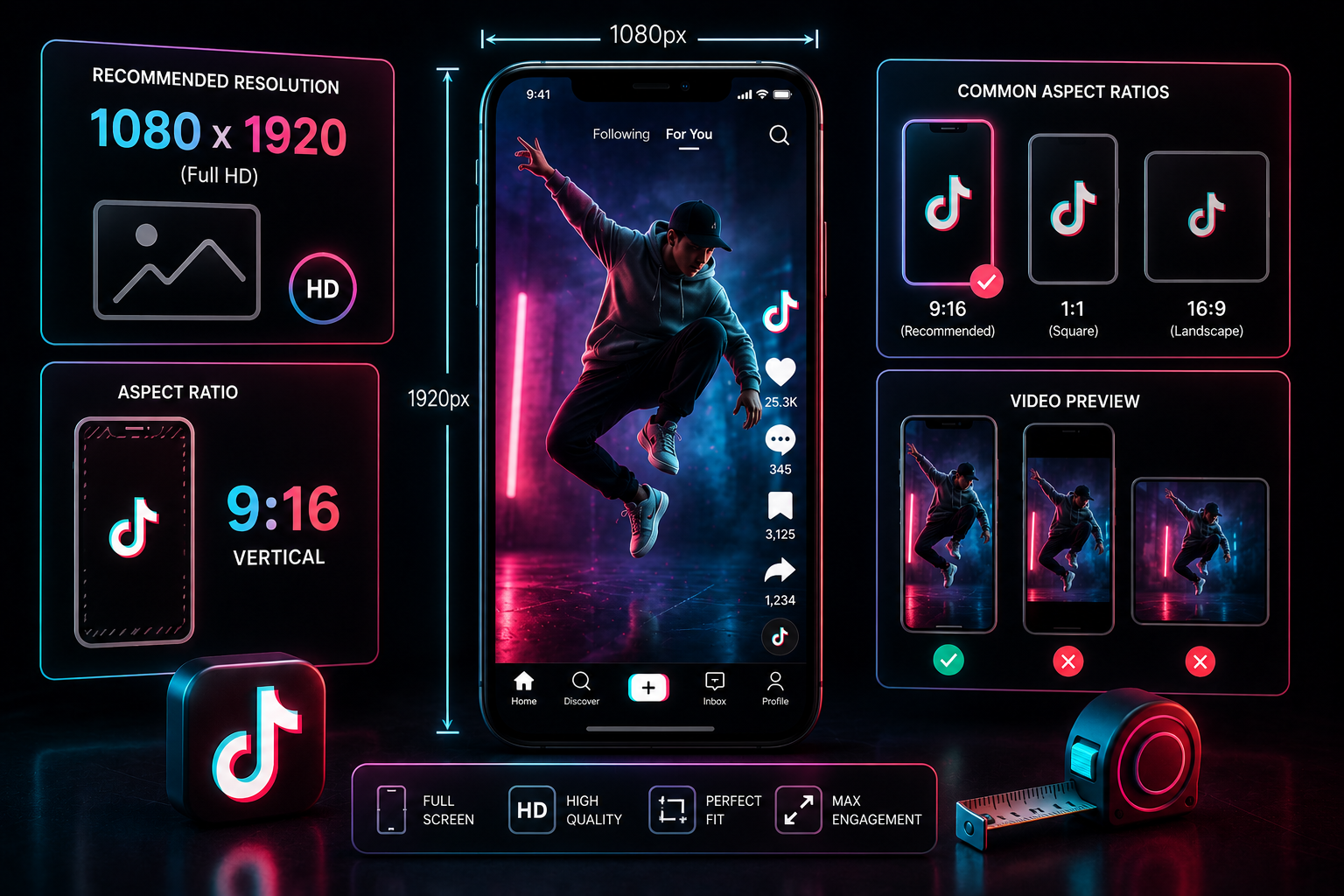
Have you ever spent hours editing a high-definition video project, only to notice it looks blurry or pixelated once uploaded to your TikTok feed? This loss of quality happens because of the platform's automatic backend compression. When you upload a file that doesn't match the platform's preferred specifications, TikTok downsamples the media file, which can cause artifacts and motion blur.
To keep your videos looking sharp on mobile feeds, you need to match your editing and export settings to the platform's precise technical requirements. This guide breaks down the optimal resolution, aspect ratios, file size limits, and safe-zone configurations for 2026.
📑 Table of Contents
+1. Standard Proportions and Target Resolutions
The standard presentation format for short-form video on mobile is a vertical 9:16 aspect ratio. The optimal layout size for this ratio is exactly 1080 x 1920 pixels. While the platform does support alternative landscape ratios like 16:9, vertical uploads perform much better because they fill modern smartphone screens entirely.
It is important to note that uploading content higher than 1080p, such as raw 4K footage, does not result in a cleaner image. In fact, the automated compression engine downscales 4K files to 1080p aggressively, which often reduces clarity compared to a native, well-optimized 1080p export. Stick to a clean 1080p format during editing for the sharpest results.
2. File Size Limitations Across iOS and Android Systems
Maximum allowed file sizes vary depending on the operating system you use to upload your content. These constraints are broken down below:
- Apple iOS Devices: iPhones allow file sizes up to 287.6 MB per single upload stream.
- Android Mobile Devices: Android packages are capped at a smaller file size of around 72 MB.
- Desktop Web Uploads: Using a desktop web browser provides more flexibility, allowing file sizes up to **1 GB** for longer content updates.
If your edited file exceeds these targets, your device's operating system will compress the video file heavily before sending it to the server, which can cause noticeable quality loss.
3. Core Video Containers and Audio Encoding Rules
For smooth processing and high playback quality, your source media files should use standard container formats. Save your final exports as .MP4 or .MOV files.
Technical Specification: Always encode video content using the H.264 video codec alongside an AAC audio codec baseline running at a constant bitrate of 320kbps. This combination ensures your audio stays perfectly synced with your video timeline during processing.
4. Protecting Layout Elements with Safe Zone Grids
When editing your videos, remember that the app places functional interface buttons over the video canvas. The right side holds interaction icons (Profile, Likes, Comments, Shares, and Audio Wheels), while the bottom section displays account descriptions, usernames, and music track information.
To prevent your text, titles, or key actions from being covered by these buttons, keep your important visual elements within the Safe Zone Grid. Center your text layers and leave at least 150 pixels of clear space at the top and 400 pixels of clear space at the bottom of your editing canvas.
5. Step-by-Step HD Export Configurations
When preparing your final renders in video editing software like Adobe Premiere Pro, CapCut, or DaVinci Resolve, use these exact export settings to maintain high image quality:
- Format: H.264 (.MP4)
- Frame Size: 1080 x 1920 (Vertical Portrait orientation)
- Frame Rate: match your shooting source, either 30fps or 60fps
- Bitrate Encoding: Target Bitrate (VBR, 1-pass) set between 15 Mbps and 20 Mbps
- Color Workspace: Rec. 709 Standard Color Space
6. Quick Technical Reference Table
Use this summary chart as a quick checklist before exporting your next video project:
| Technical Variable | Optimal Specification Metric |
|---|---|
| Aspect Ratio | 9:16 Vertical Portrait Layout |
| Pixel Resolution | 1080 x 1920 Pixels |
| File Formats | .MP4 or .MOV Video Containers |
| Preferred Codec Setup | H.264 Video stream with AAC Audio processing |
| Target Bitrate Range | 15 - 20 Mbps Constant / Variable Balance |
Verify Your Layout Quality Offline
Want to check how your video's layout and text placement look on a mobile screen without risking a bad upload? Use TikTop to download clear reference videos to compare your export settings side-by-side.
Try TikTop Now